

SAI-HUB DD
Autonomous drone operations software
engineered exclusively for DJI Dock systems.
Real-Time Object
Detection
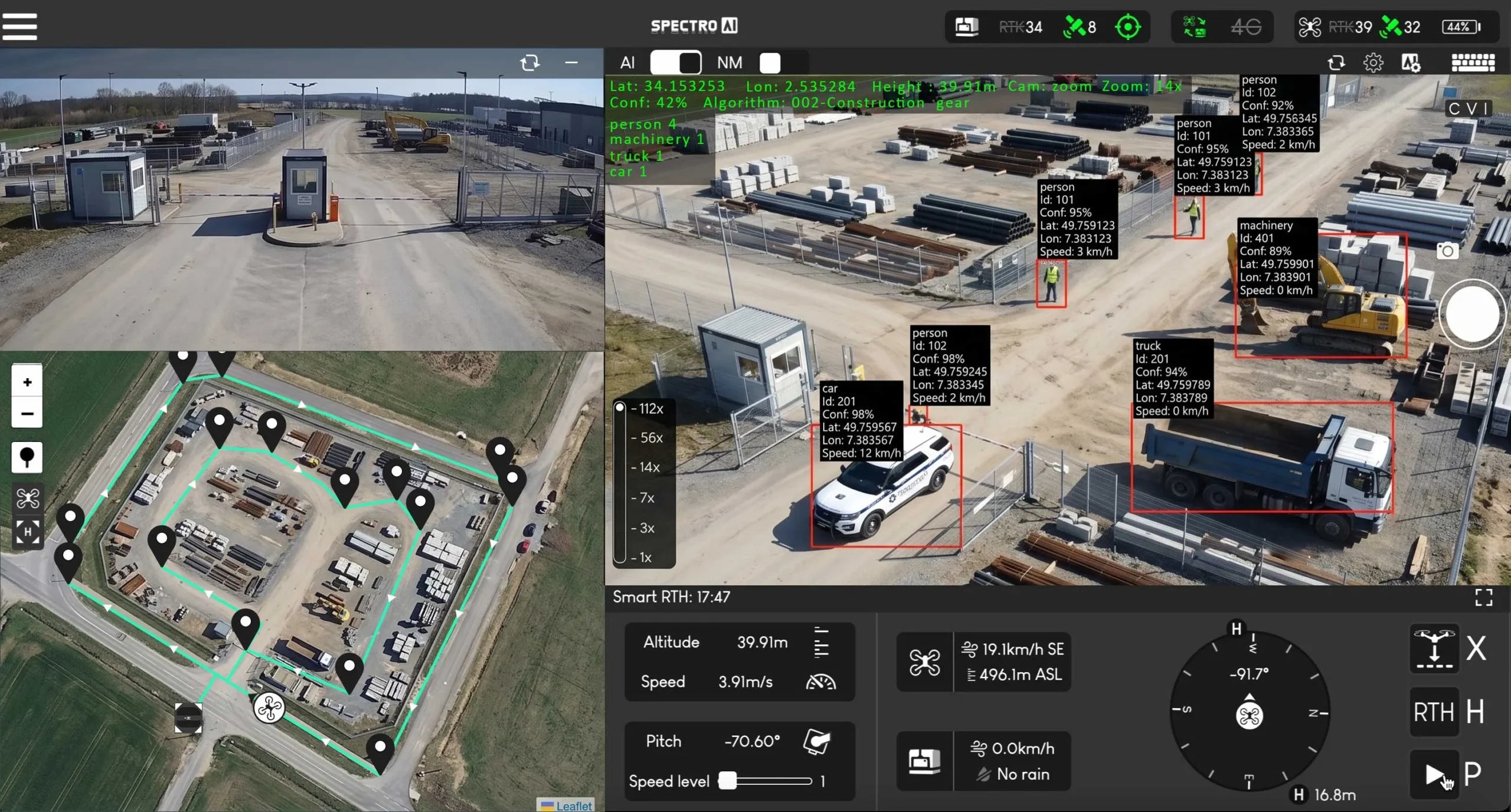
See detections happen in real time. SAI-HUB DD runs object recognition fully on-premises, giving operators immediate visual feedback without sending operational data to the cloud.
On-Premises
by Design
SAI-HUB DD is built to stay on your site. Choose the access level that fits your operation while keeping processing and storage local to the Brain-Box.
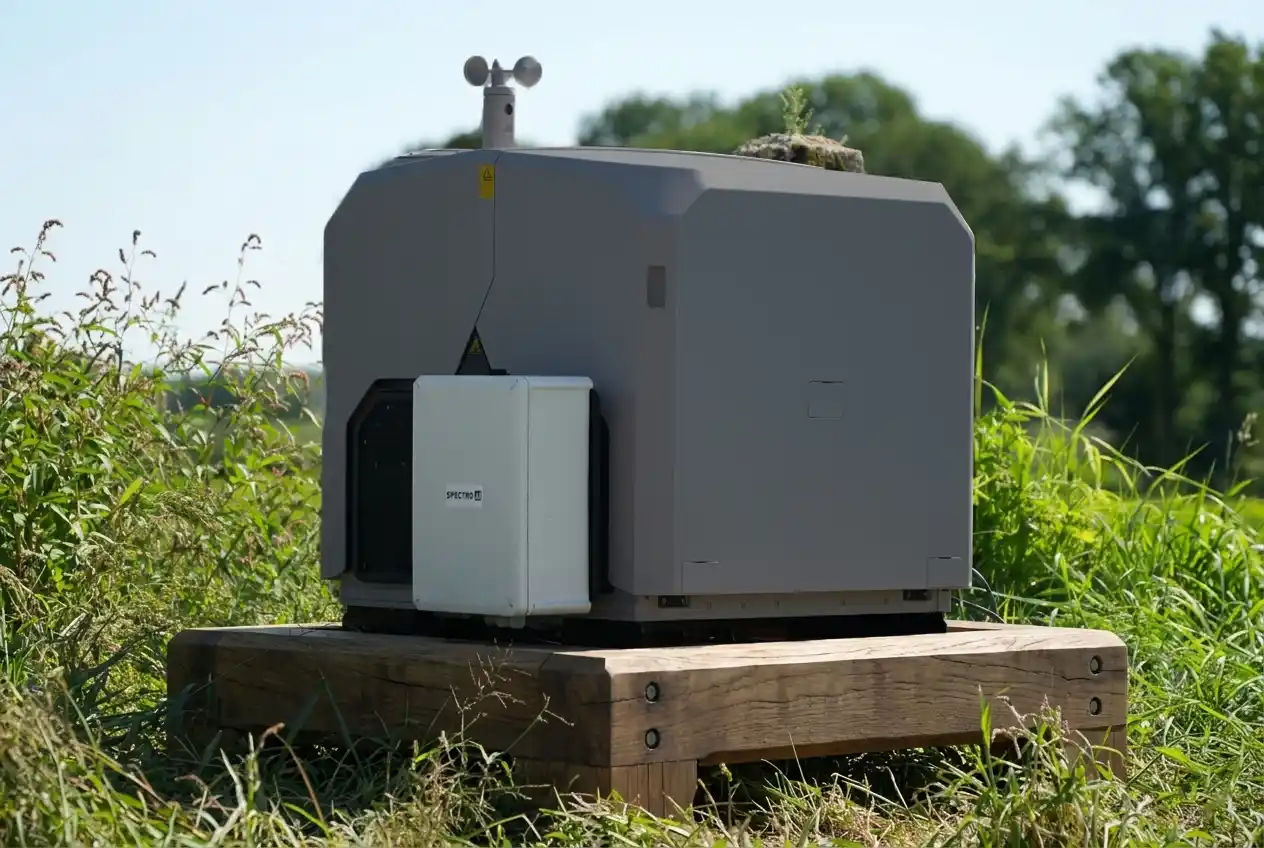
Connect directly to the Brain-Box on-site using its hotspot or a local LAN connection for fully local operation without any router or internet dependency.

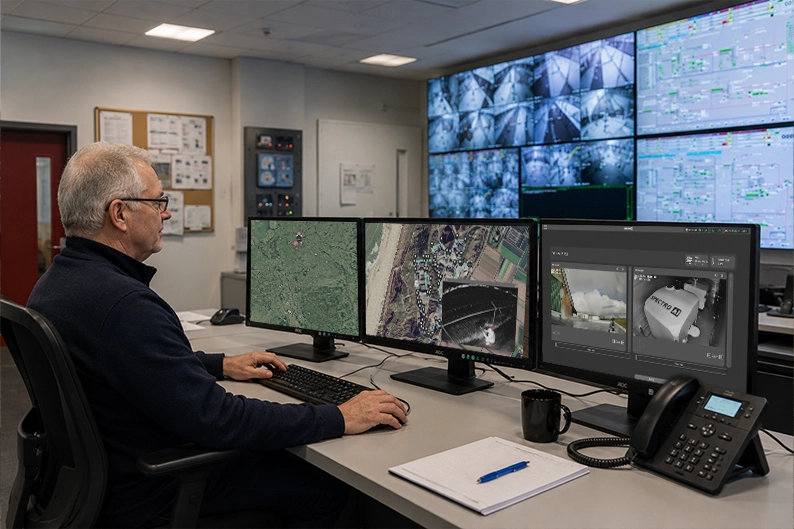
The Brain-Box connects to a site router by Wi-Fi or LAN, and operators connect to that same router from a control room using Wi-Fi or LAN.
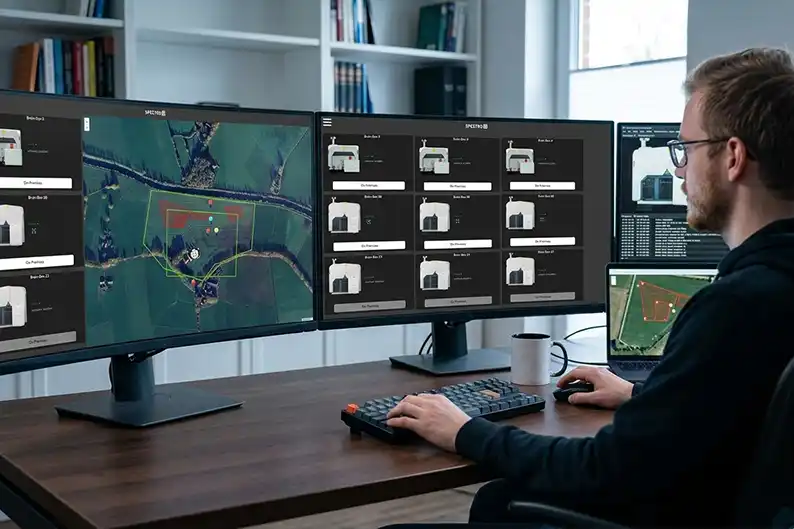
SAI-HUB Online gives remote teams a shared overview across multiple Brain-Boxes and docks, with each on-site system connected through its router to the internet.

Operational Capability
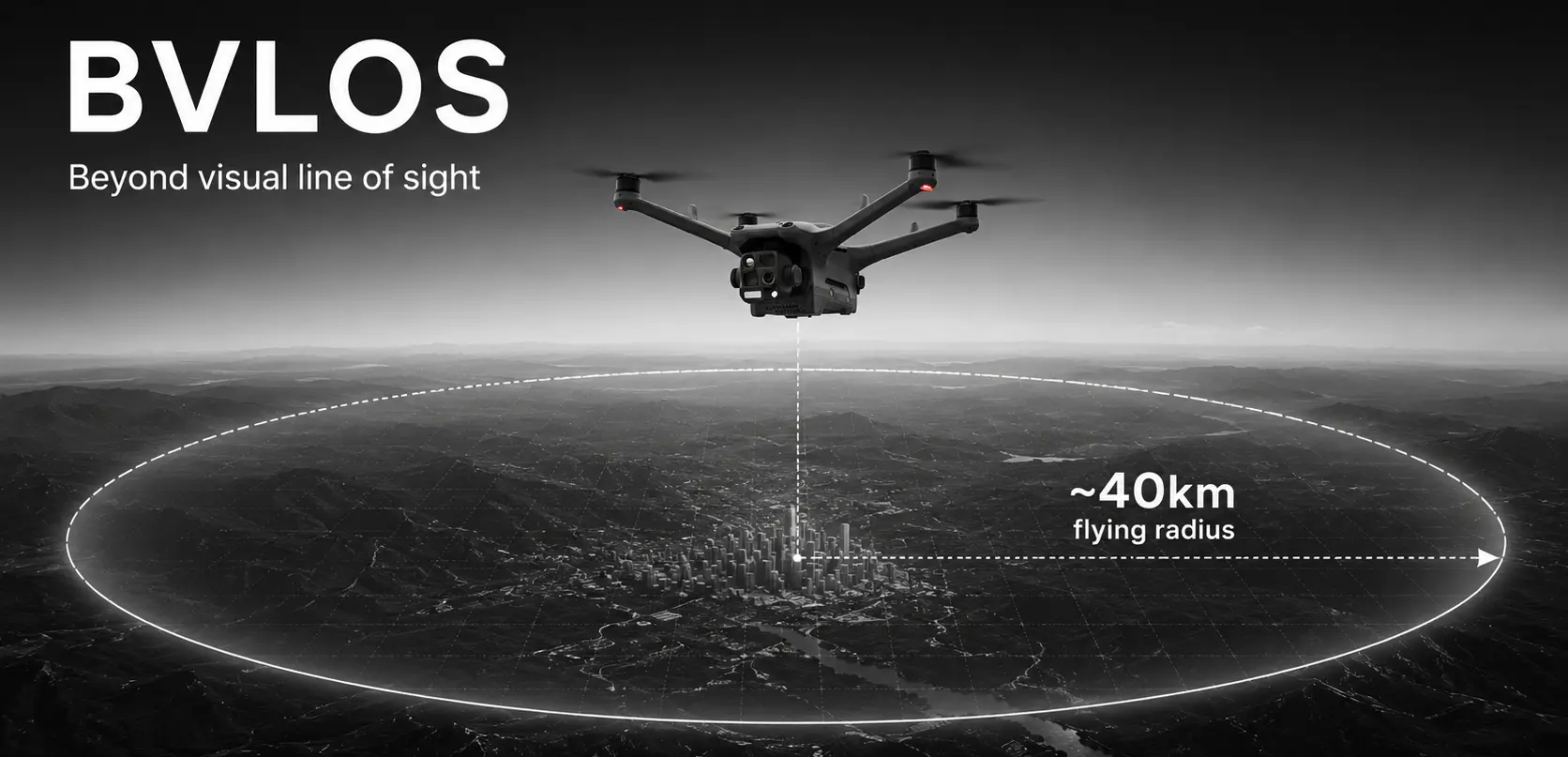
BVLOS
Beyond Visual Line of Sight
SAI-HUB DD supports Beyond Visual Line of Sight inspection workflows by giving operators remote access to planning, live situational awareness, recorded mission review, and intervention tools without needing to stand alongside the dock during routine operations.
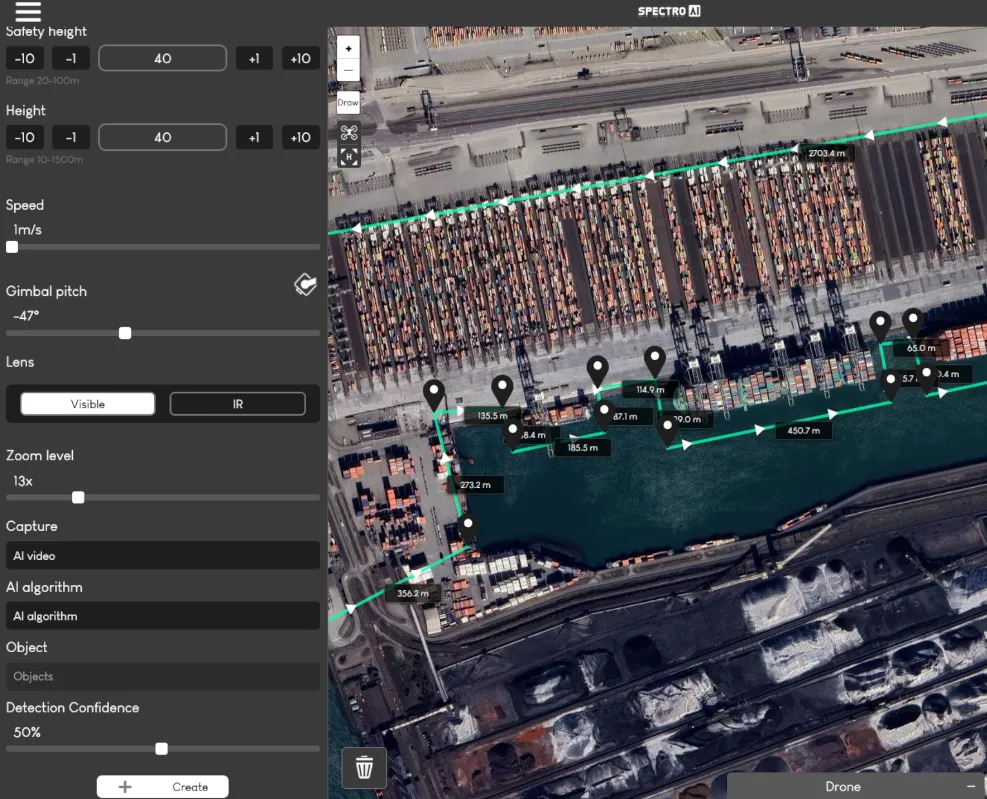
Mission Planning
Properties & Editing
Review saved missions, adjust flight behaviour, and fine-tune execution parameters from one operator view. This is where teams define the details that matter in the field.
Mission Templates
Launch circles, scans, inspections, and waypoint missions instantly from ready-made templates.

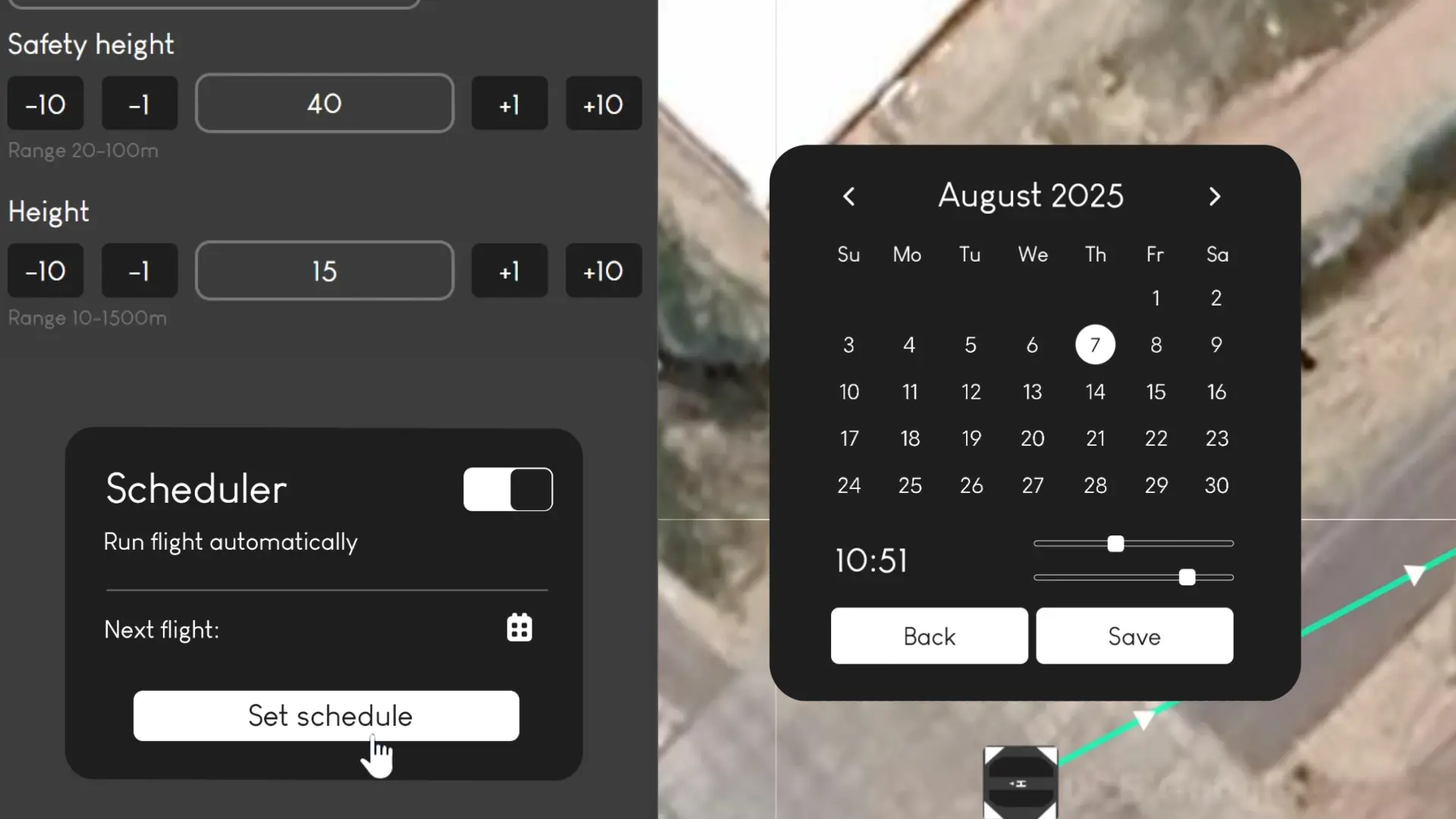
Autonomous Scheduling
Schedule recurring flights and let SAI-HUB DD run routine inspection and monitoring missions hands-free.
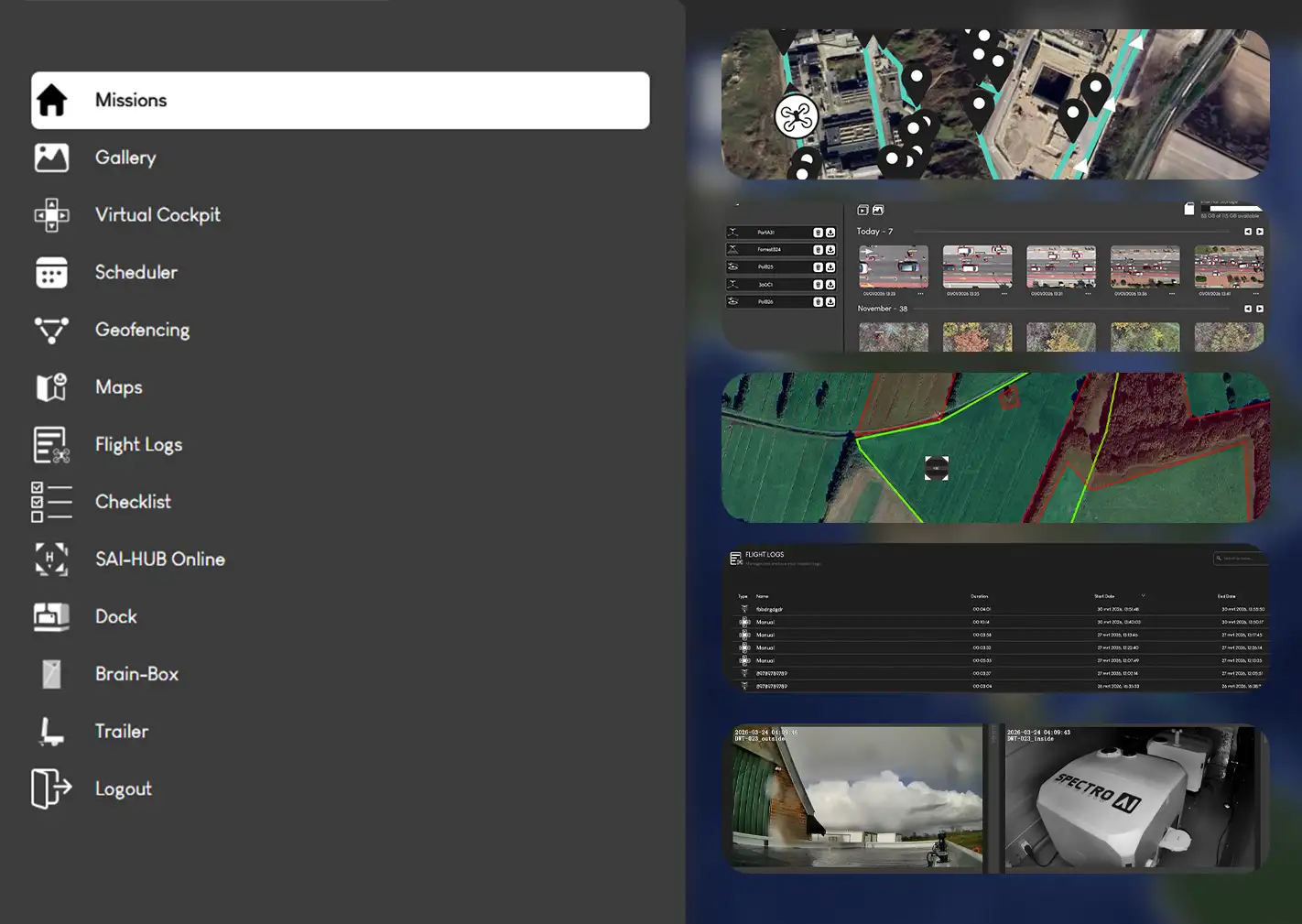
Multi-Task Management
Prioritise, queue, and coordinate multiple operational tasks from one planning environment so routine inspections, alerts, and ad hoc missions can run without losing context.
Sensor & API Actions
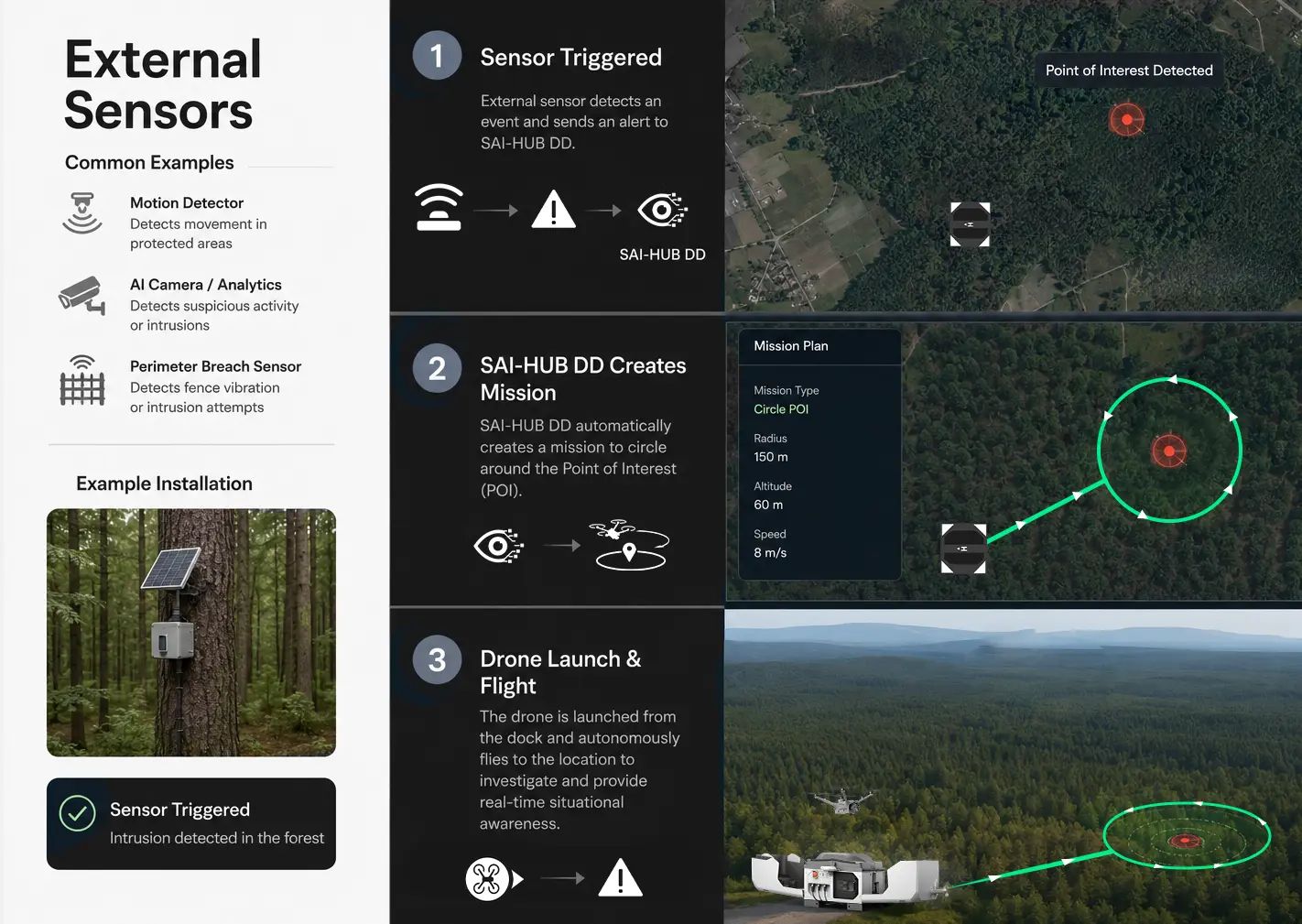
Trigger missions and operational actions directly from sensor messages, JSON payloads, and external APIs to support event-driven workflows for industrial clients.
Virtual
Cockpit
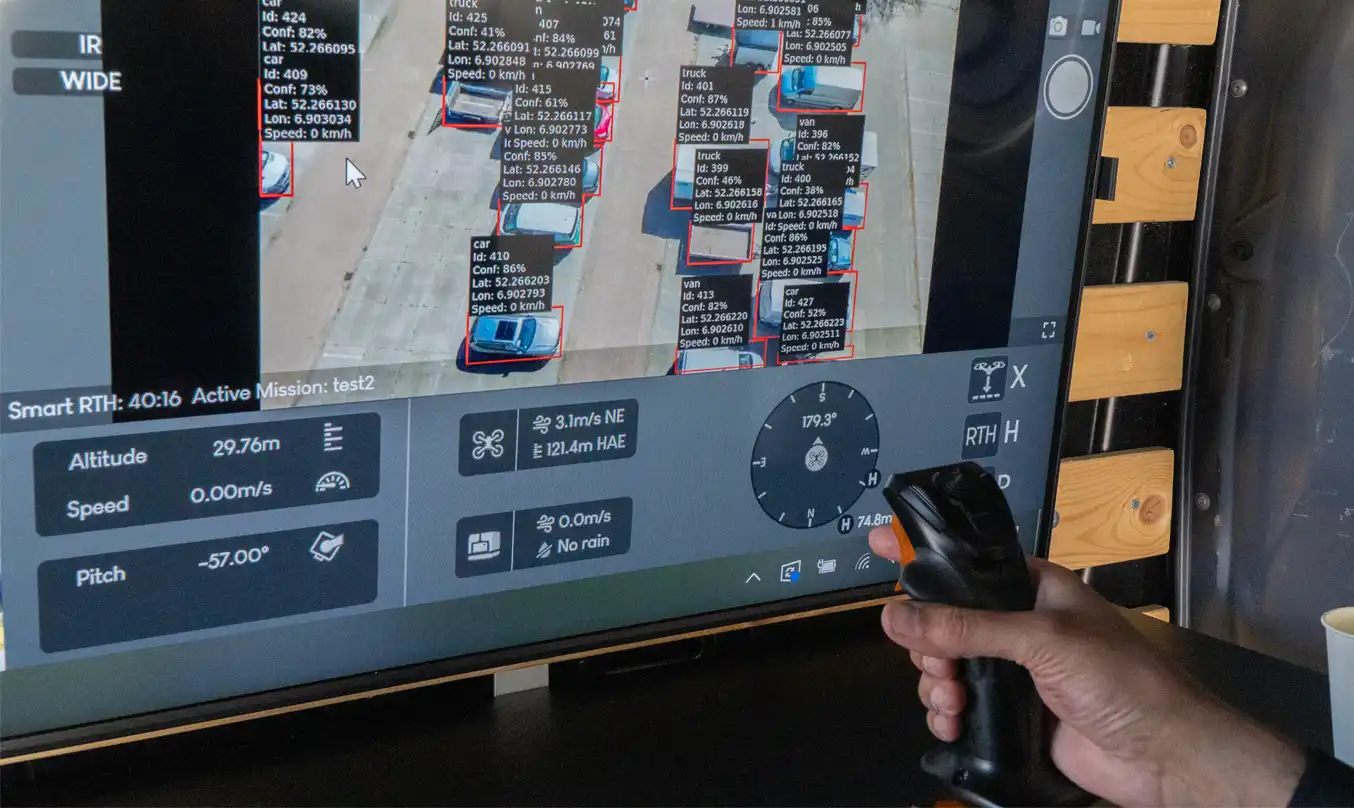
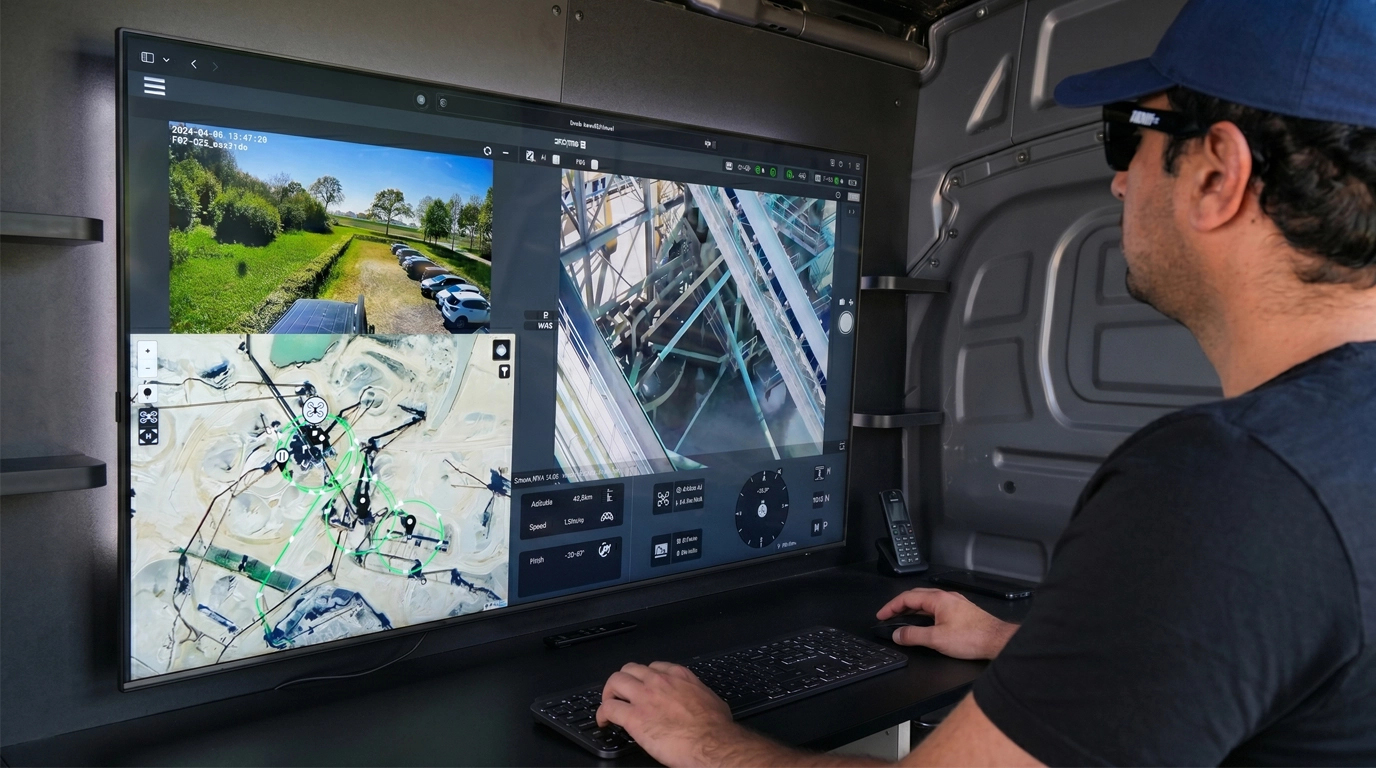
A virtual cockpit view keeps operators oriented during every phase of flight, whether autonomous or manual.
Joystick support is built in, so pilots can take over instantly from any connected workstation without leaving the same interface.
AI
Intelligence
Switch between detection types to see how SAI-HUB DD handles different operational scenarios, all running fully on-premises.
All detections are logged and timestamped.
Video &
Media
Multi-camera live video and mission media stay available throughout takeoff, mission flight, hover, and docking.
Operators can review visual feeds instantly and keep raw footage, raw image sequences, and detection-overlay videos organised locally on the Brain-Box for fast post-flight access.
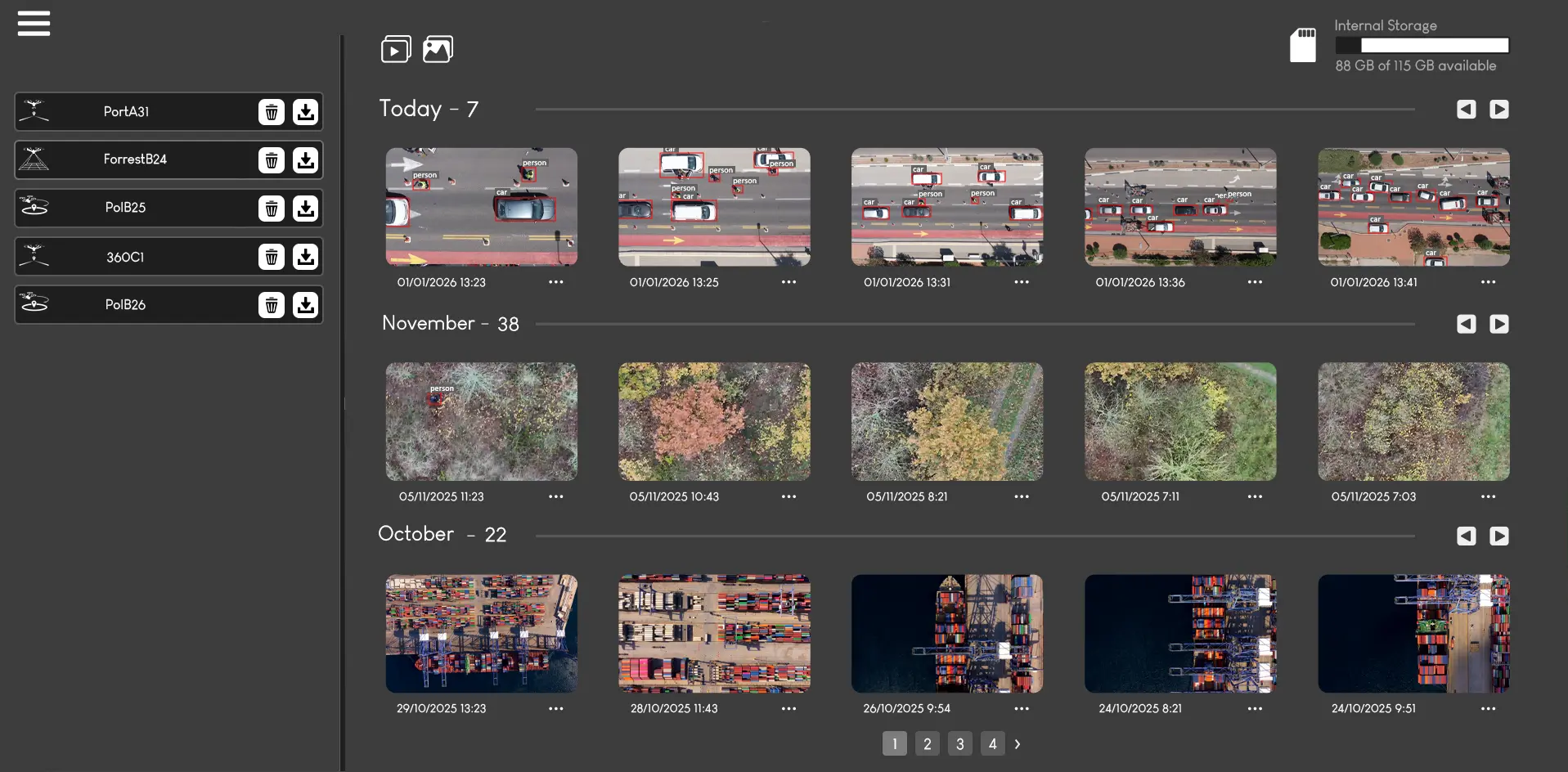
Gallery
Browse recorded videos and captured images in an intuitive gallery. Quickly review, filter, and analyse your operational footage and inspection imagery.
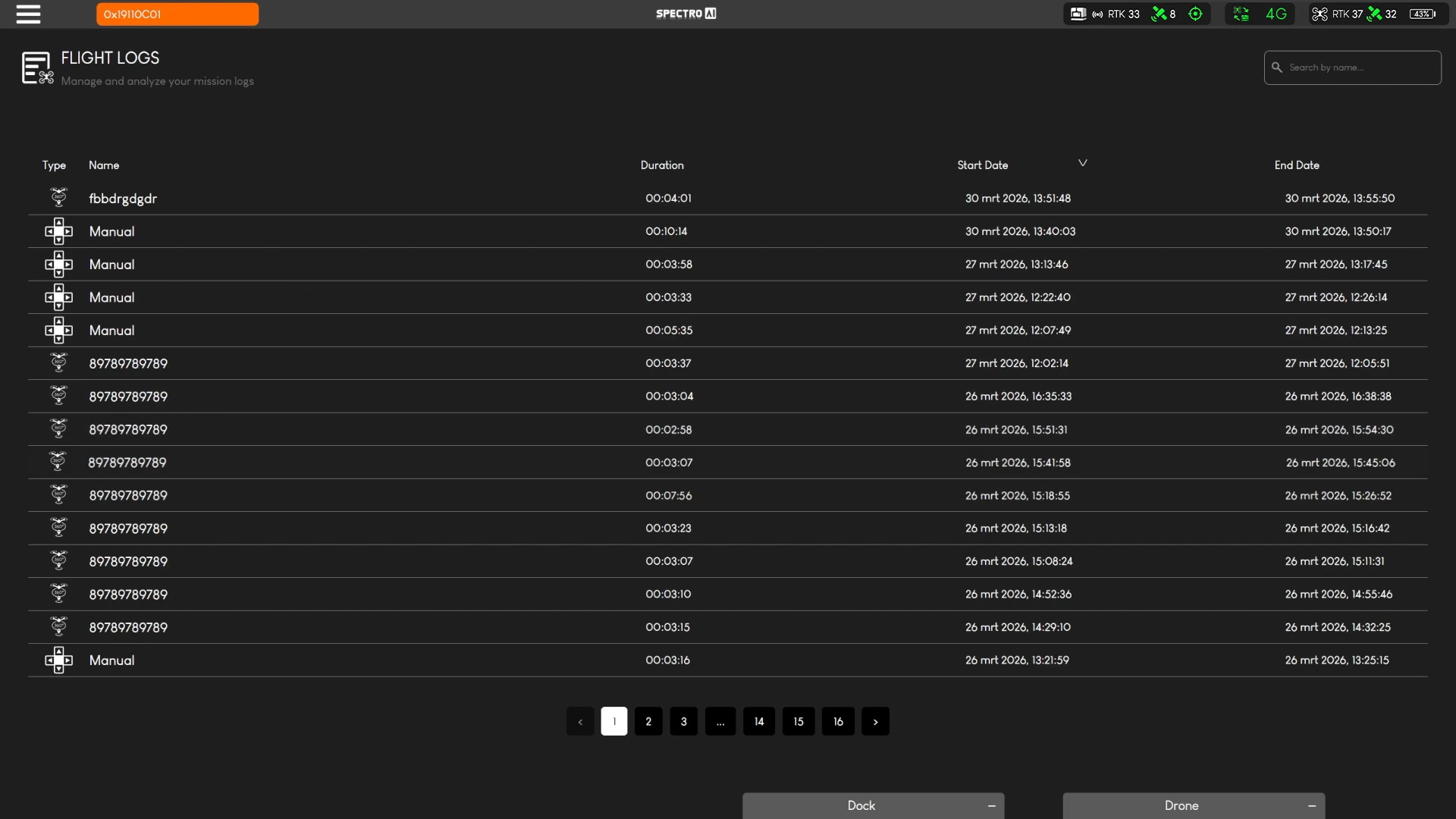
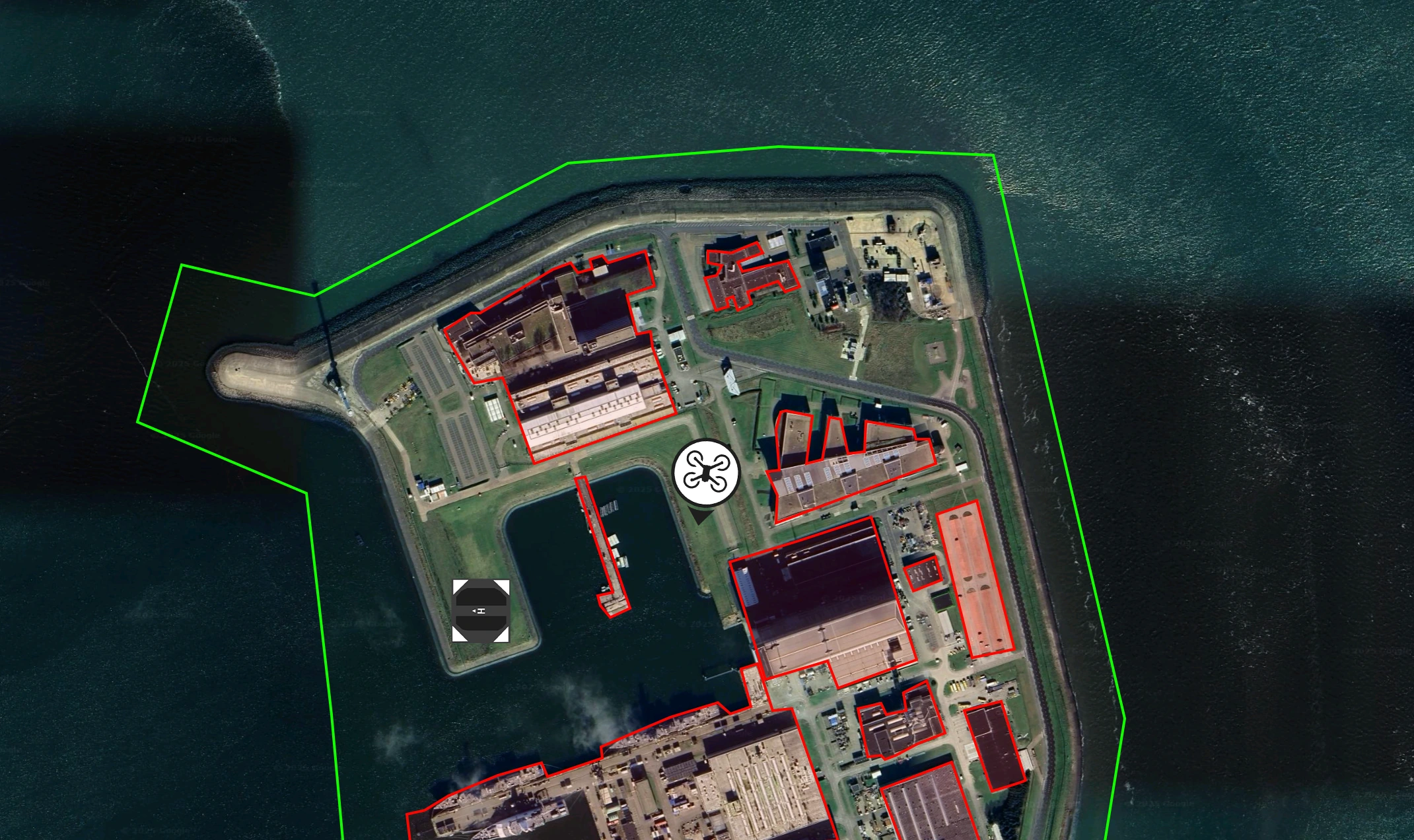
Fly Zones
Import no-fly zones directly into the interface and enforce operational airspace rules consistently across missions.
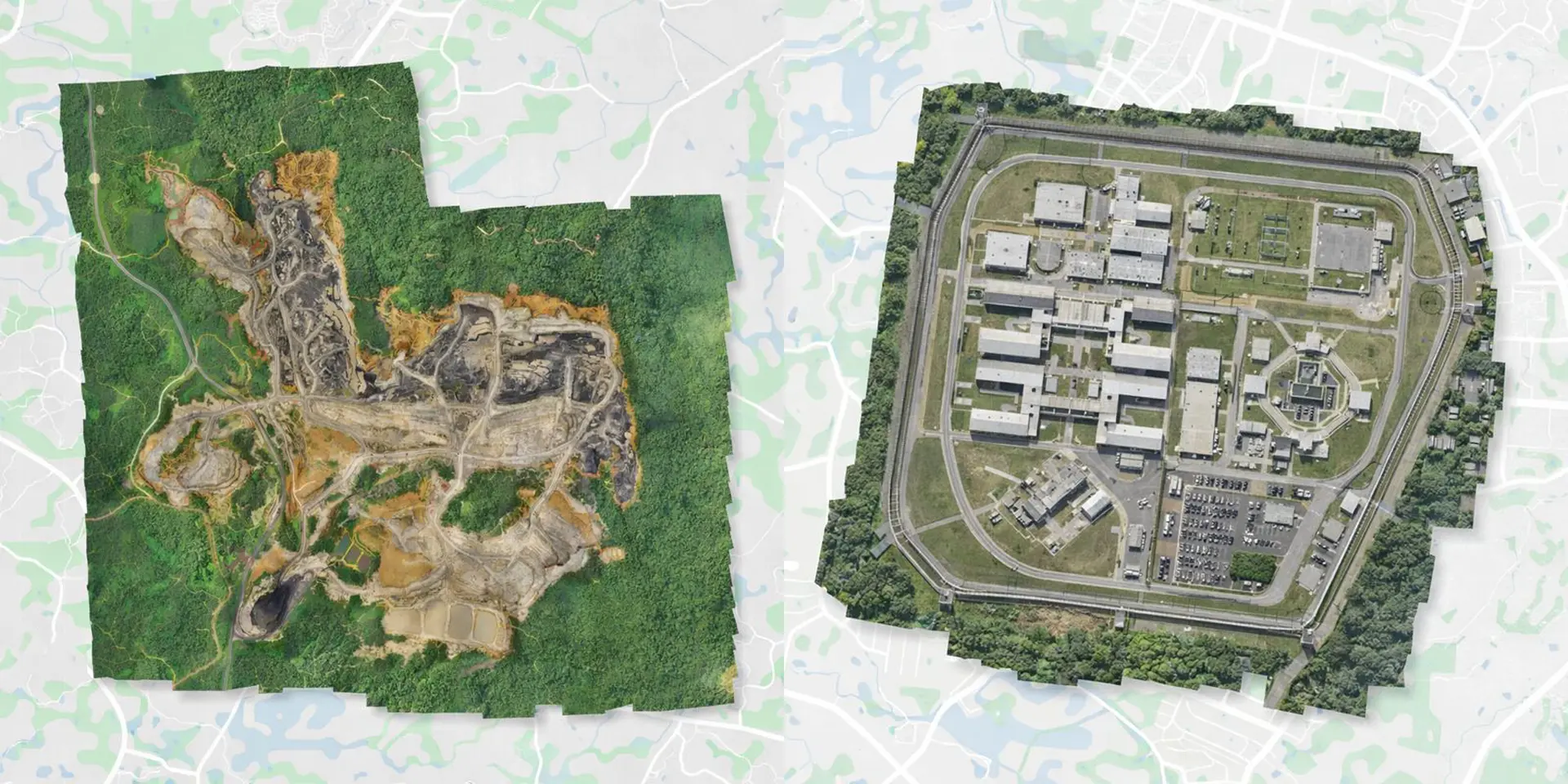
Custom Maps
Upload custom maps stored directly on the Brain-Box for fully offline operation using high-resolution site imagery.

OpenAir
Multitrack Receiver
SAI-HUB DD can integrate the OpenAir Multitrack Receiver to extend live airspace awareness around the operating zone and surface nearby manned and unmanned traffic directly inside the mission workflow.
ADS-B Coverage
Tracks ADS-B equipped aircraft up to 500 km for wide-area awareness around the operating zone.
Additional Protocols
Supports FLARM, OGN, and ADS-L up to 50 km, plus Drone Remote ID up to 3 km.
Operational Value
Combines live visualization with proximity-based alerting so both manned and unmanned air activity can be monitored in real time.
Flight
Safety
Pre-flight Checklist
Configurable system checks validate all parameters before takeoff — from battery levels to geofence integrity and mission waypoints.
Return-To-Home (RTH)
Intelligent RTH triggers automatically on signal loss, low battery, or emergency override — ensuring safe recovery in all scenarios.
Emergency Override
Operators can issue an immediate stop or RTH command at any point during automated or manual operations.
Start Your
Deployment
Global Enterprise Deployment Ready